Features
Everything Atium Bot brings home
Atium Bot drafts the trades you place and carries them home to Atium. There you review each one properly, see what's working, and ask other traders for a second opinion when you want one.
Atium Bot
Your futures trading companion
Atium Bot works in two places. In Chrome, it keeps your journal beside the trades you place on TradingView. In Discord, it posts the trades you choose to share to your server for a second opinion.
- Opt-in auto-detect drafts each of your trades for you to review and save
- Entry and exit chart screenshots, attached or captured in one click
- The economic calendar and the ES/NQ AI outlook in the same panel
- Live and backtest trades kept apart
Atium Bot never places, modifies or cancels orders. It only records the trades you place yourself, and it never touches your login, cookies or account balance. It runs in Chrome on your computer. It doesn't run in the platforms' desktop or mobile apps.

Trade drafted. Review it when you're ready.
In Chrome
Drafts the trades you place, with chart screenshots
In Discord
Posts the trades you share for a second opinion
Trade review
A structured review for every trade you take
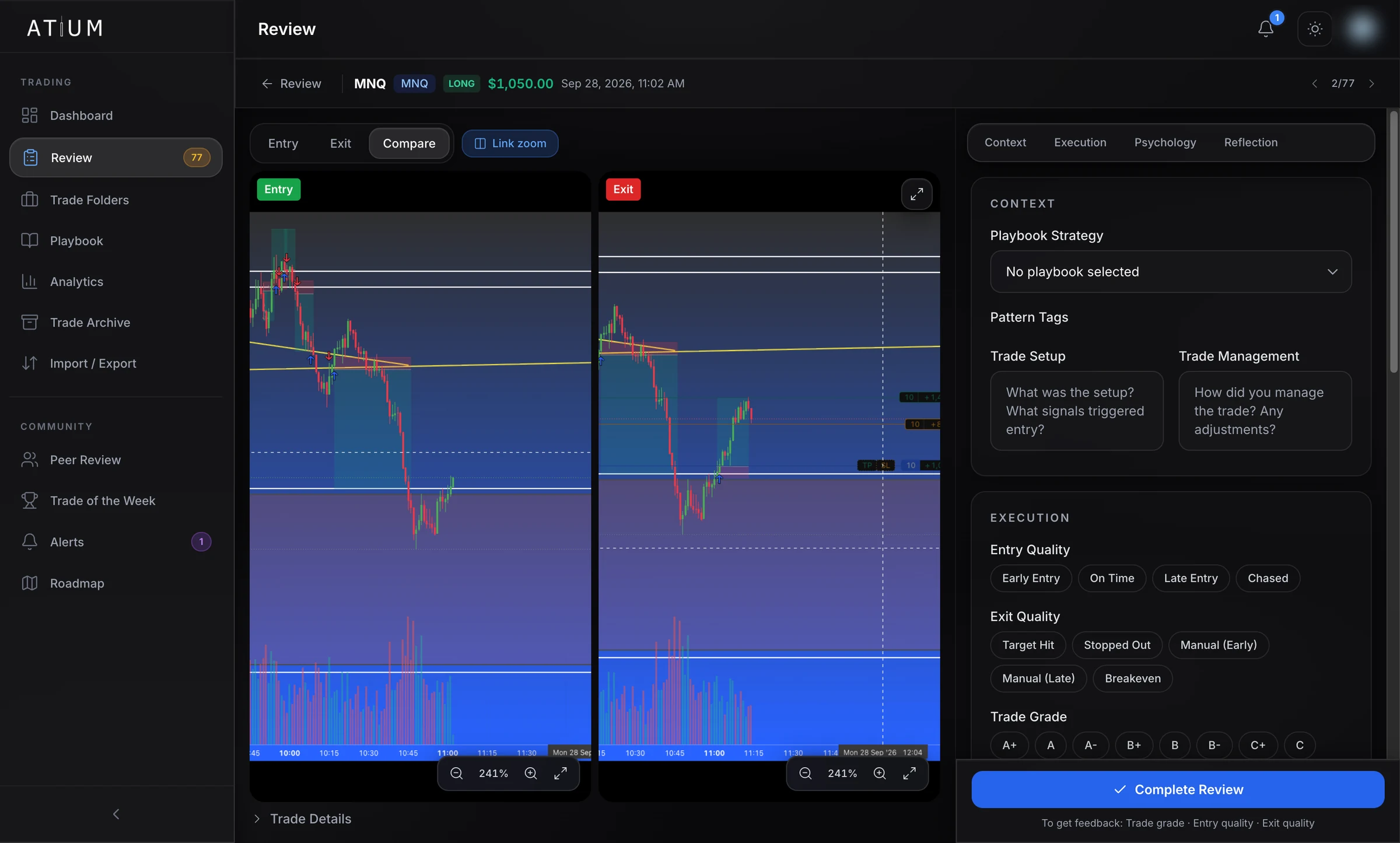
Open a trade and its entry and exit screenshots sit side by side with linked zoom. Grade the execution, note your psychology, then archive it or ask for a second opinion. Each week the Film Room sums up your live trades and suggests one focus for the week ahead, written by Atium from your own review notes and peer feedback.
- Entry, exit and compare views, with linked zoom and drawing tools
- Grade entry, exit and the trade overall, with risk from your stop for R-multiples
- Record mindset, emotion, confidence and whether you followed your plan
- A weekly Film Room: your numbers and one focus for next week
I drafted it, you saved it. It's in your review queue.
Charts by TradingView
Dashboard
Your trading day at a glance
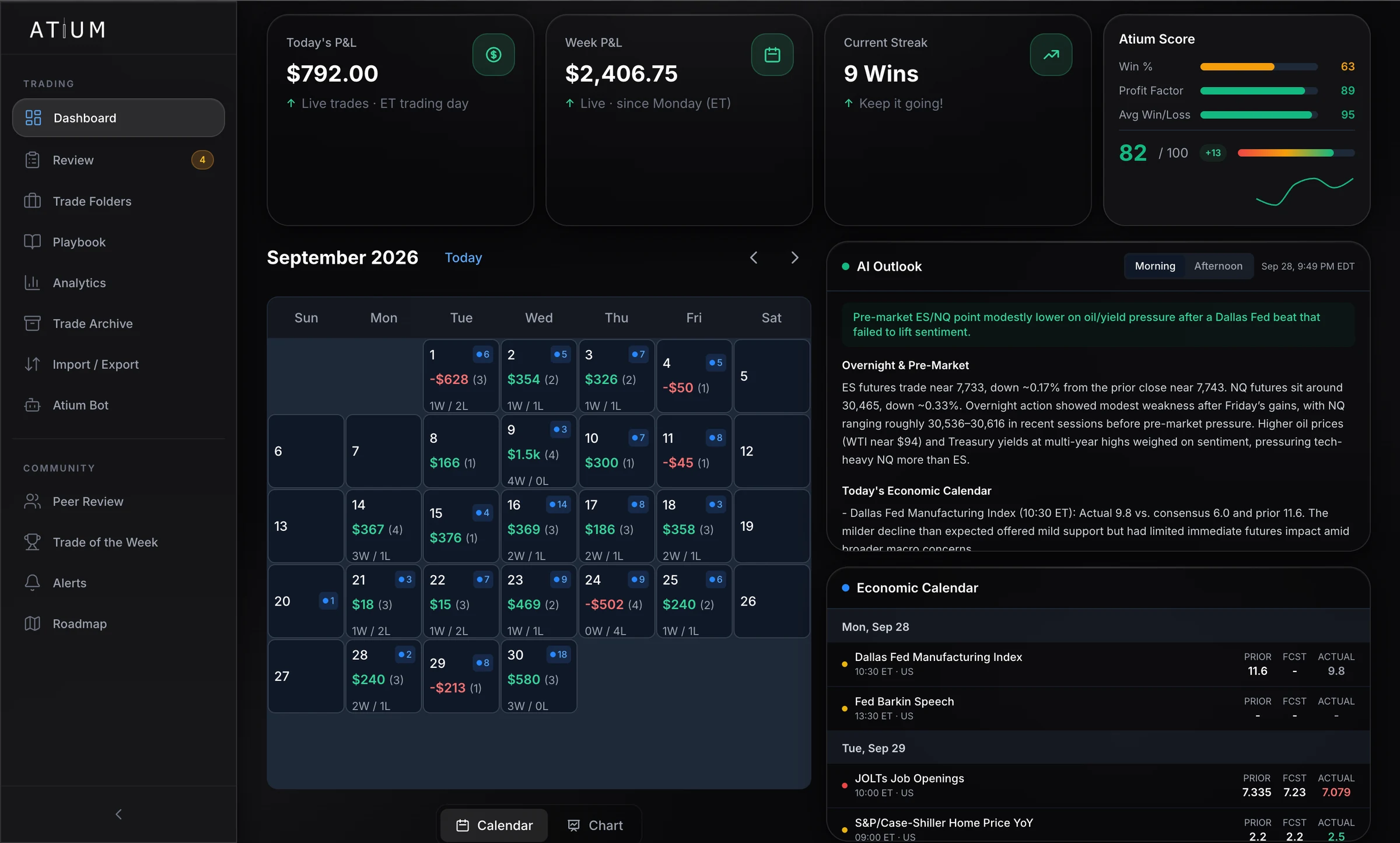
Today's and this week's P&L, your current streak and your Atium Score, above a calendar of every trading day. The AI market outlook and the economic calendar sit beside it, so the morning check is one screen.
Analytics
Analytics that show where your edge is
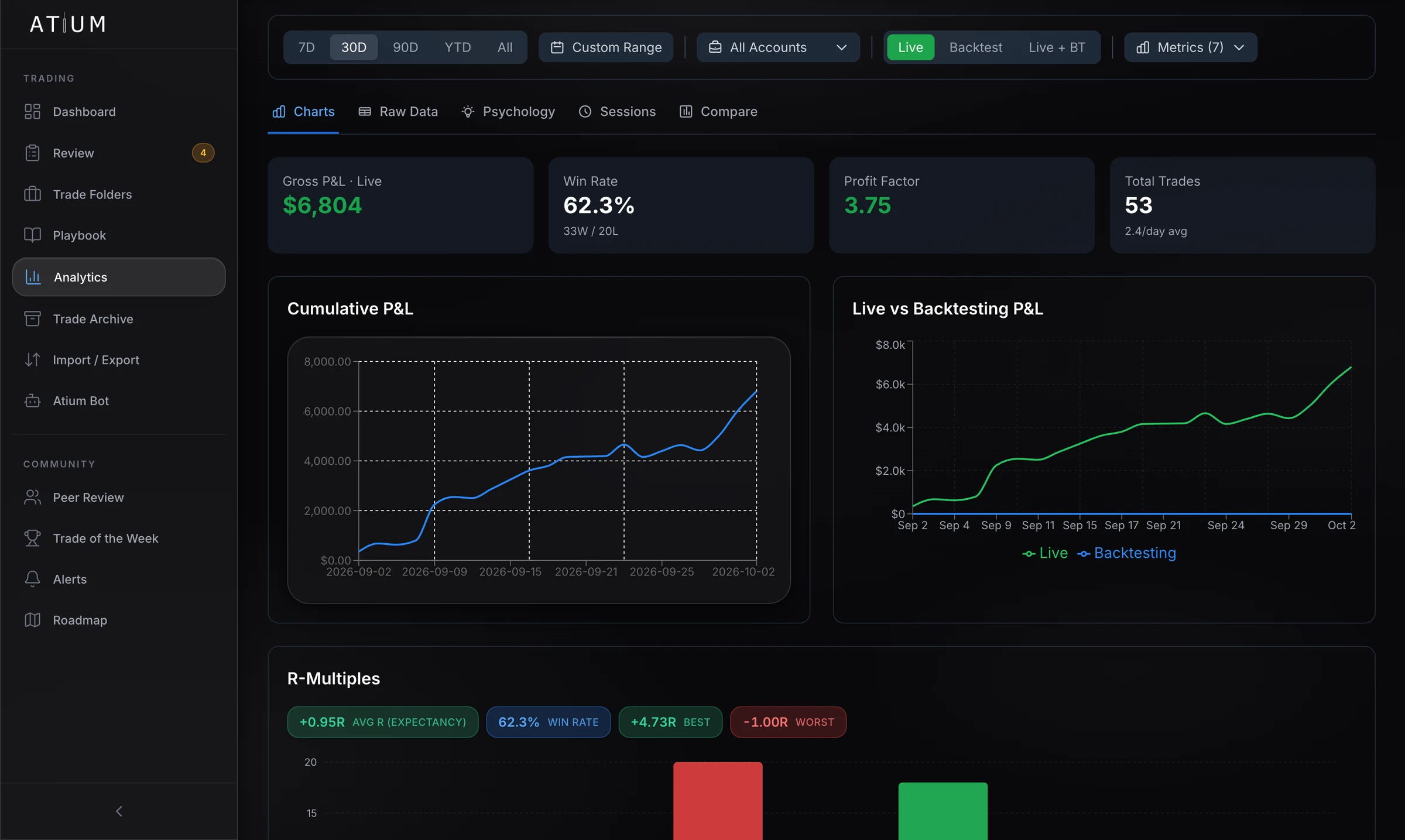
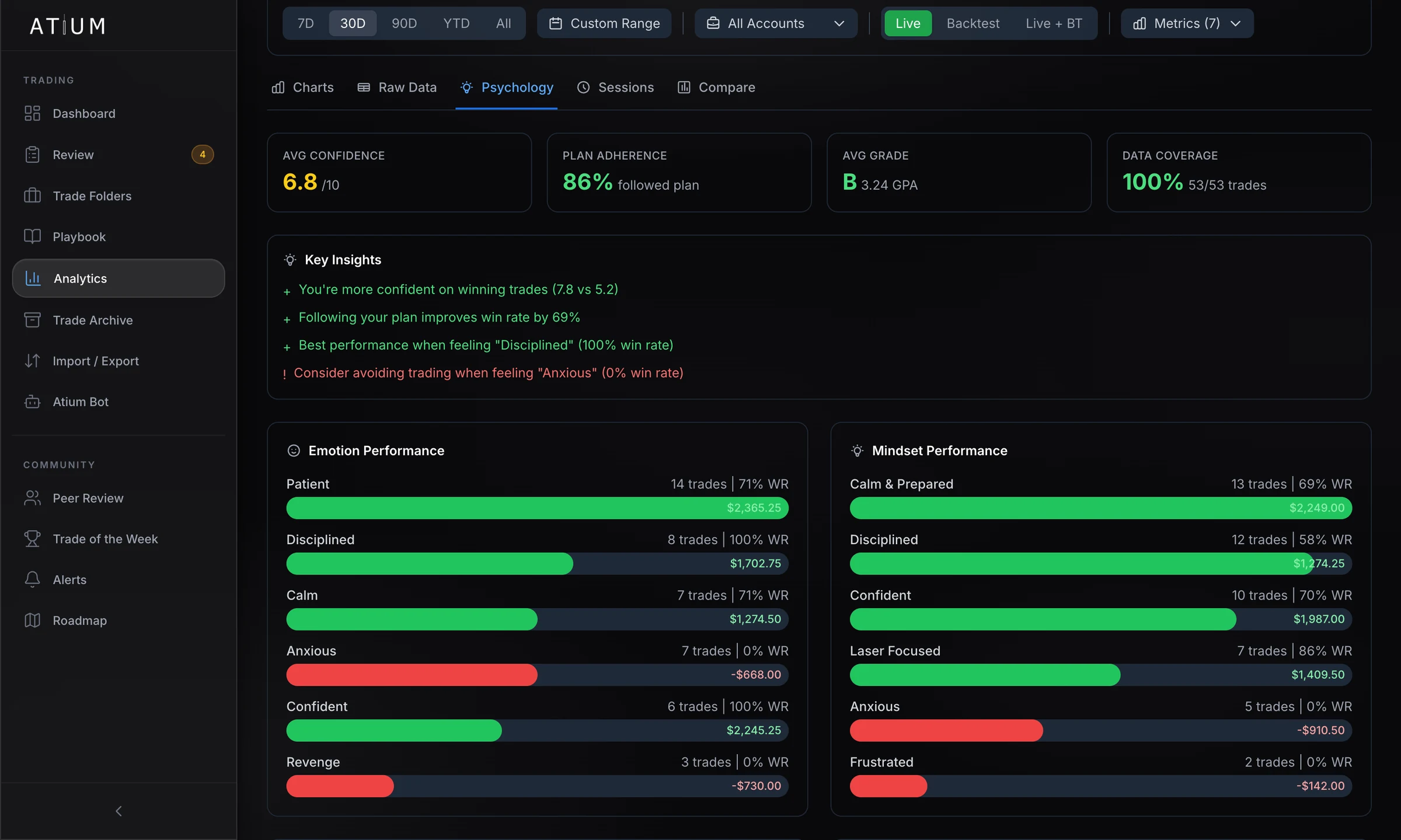
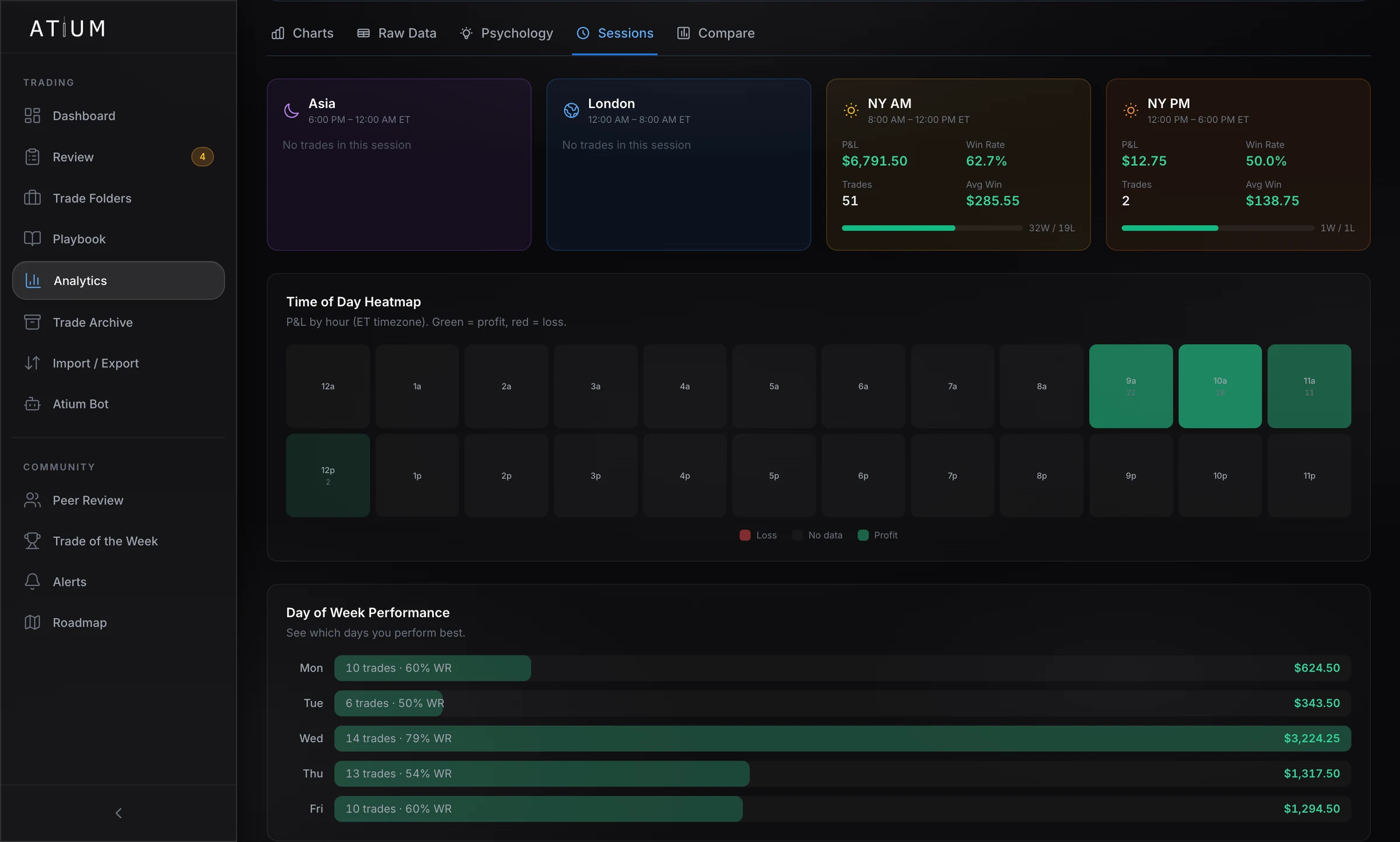
Charts for the trend, psychology for the why, and sessions for the when. Filter every view by date range, account, and live or backtest trades.
- Cumulative P&L with live and backtest trades kept separate
- Win rate, profit factor, expectancy and R-multiples
- Emotion, mindset, confidence and plan adherence against your results
- Performance by session, hour of the day and day of the week
Atium Bot for Discord
A second opinion from your community
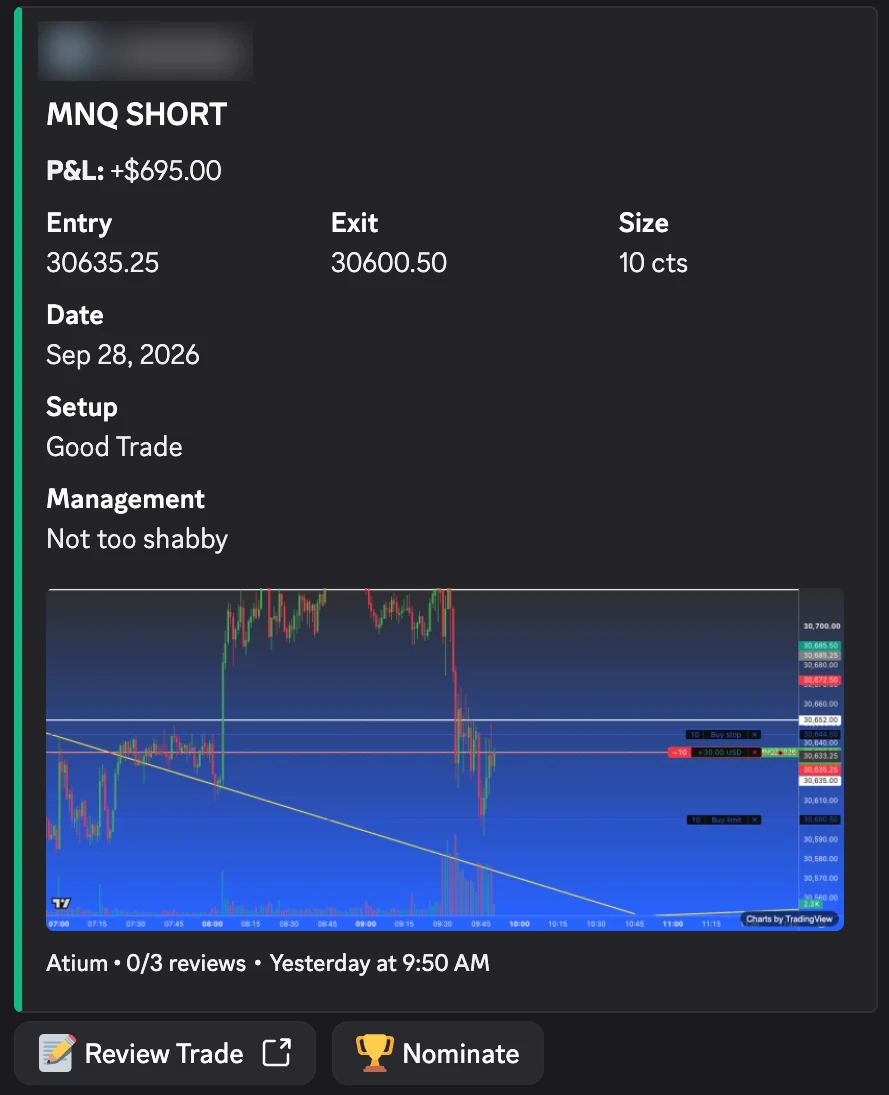
Share a reviewed trade to one Discord server and Atium Bot posts it as a card in the review channel. Members click Review Trade and finish a short form on atiumtrade.com, where they can annotate your screenshots and suggest a grade.
- Up to three reviews per trade
- Reviewers need a linked Discord account and an Atium membership
- Nominate and vote for Trade of the Week
- Server admins add the bot and run
/atium setup
Charts by TradingView
Also included
The rest of your workflow
Playbook
Define strategies by symbol, timeframe and pattern tags, and see each one's trade count, win rate and P&L as you tag trades in review.
Trade Archive
Every reviewed trade in one searchable, filterable history, with grades and notes inline. Generate a PDF trading audit report from analytics.
Trade Folders
A folder per prop firm holding every account you trade with them. Move accounts from Evaluation to Funded to Live and keep backtests in custom folders.
Import and export
Bring past trades in from a CSV. Export to CSV or JSON, or a zip that includes your entry and exit chart images.
Alerts
Review requests, Trade of the Week nominations and achievements, all in one inbox.
Try every feature for 14 days
Start your 14-day free trial. A card is required to start, and you pay nothing if you cancel before the trial ends.